How to Accept UPI, Cards and Cash on Delivery
Offer cash on delivery, online payment, or both. Cartify24 takes no commission on payments through your own Razorpay account.
1Cash on delivery
- 1Switch on Cash on Delivery in Apps.
- 2Optional: set the smallest and largest order value allowed for cash.
- 3Click Mark cash as received on the order when you collect it, or let riders record it.
2Online payments with your Razorpay account
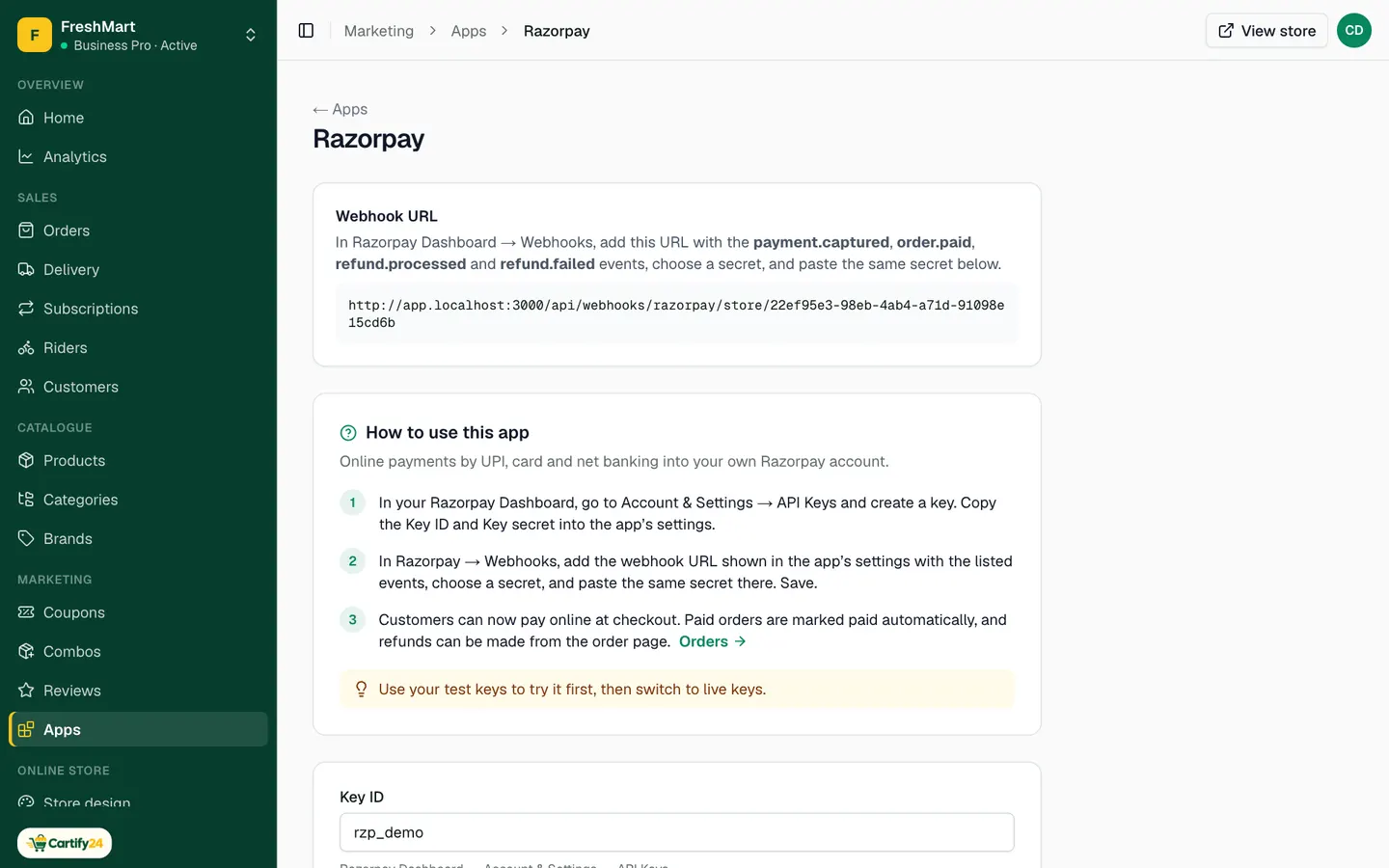
- 1In Razorpay, create an API key and copy the Key ID and Key secret into the Razorpay app’s settings.
- 2Add the webhook URL shown on the app’s page in Razorpay → Webhooks, with the same secret.
- 3Customers can now pay by UPI, card and net banking; paid orders are marked paid automatically.
3No Razorpay account? Use Cartify24 Payments
Cartify24 Payments takes online payments through Cartify24 and pays the money out to your bank every week, less the commission shown. Fill in your business and bank details in the app to get verified.
Questions
- Does Cartify24 take a commission?
- Not on payments through your own Razorpay account. With Cartify24 Payments, the commission is shown before you sign up for it.
- Can I test payments first?
- Yes. Use Razorpay’s test keys, place a test order, then switch to live keys.
Learn more
Ready to try it on your own store?
Start free trial