How to Change Your Store Design and Colours
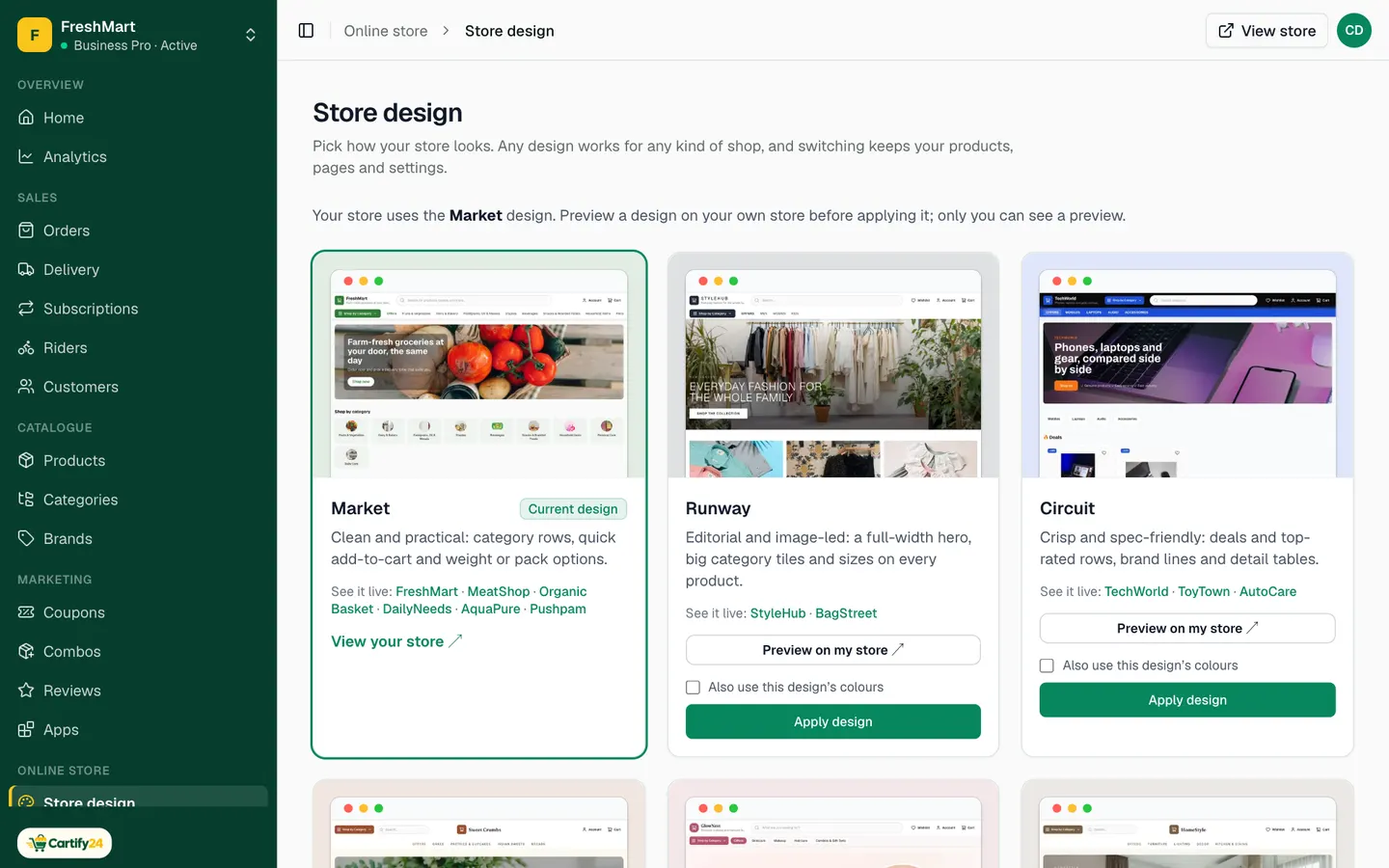
Your store’s look is a design. Any design works for any shop, and switching keeps your products, pages and settings.
1Choose a design
- 1Open Store design. Your current design is marked.
- 2Click Preview on my store to see a design on your own products. Only you see the preview.
- 3Click Apply design. Tick “Also use this design’s colours” to take its colours too.
2Your logo, colours and slides
In Settings → Branding, upload your logo and set your brand and accent colours. Add up to 5 home page slides (wide photos, about 1800 × 900 px) with headings and links.
Questions
- Will changing the design change my products?
- No. Designs only change how the store looks.
Learn more
Ready to try it on your own store?
Start free trial