How to Add Store Pages and Connect a Domain
Information pages build trust, and your own domain makes your store easy to remember.
1Store pages
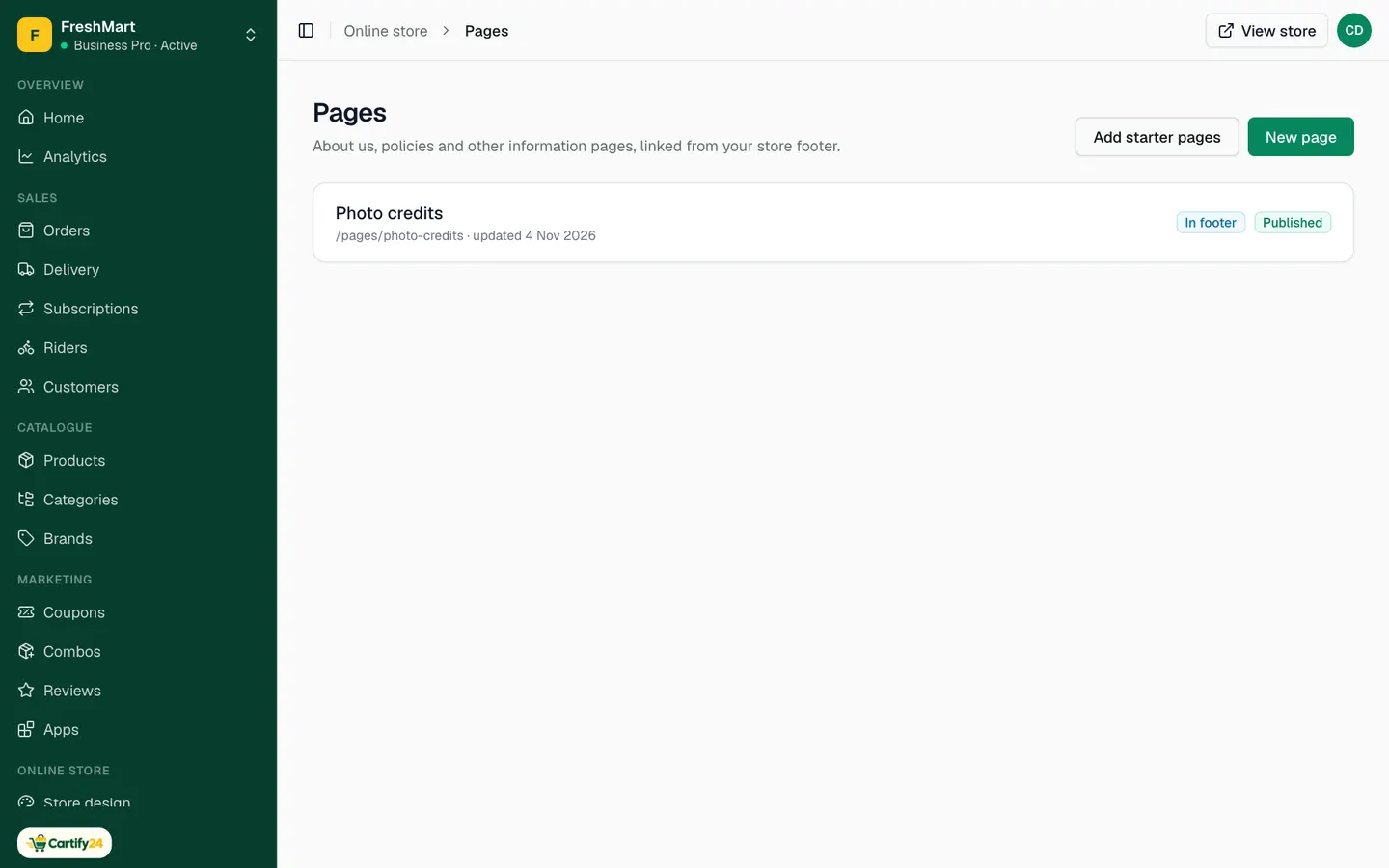
- 1Open Pages and click Add starter pages for About us, Shipping & delivery, Refund & cancellation and Privacy policy, filled in with your details.
- 2Edit them, or click New page. Publish a page to show it in your store’s footer.
2Connect your own domain
- 1Buy a domain from any provider (GoDaddy, Hostinger…).
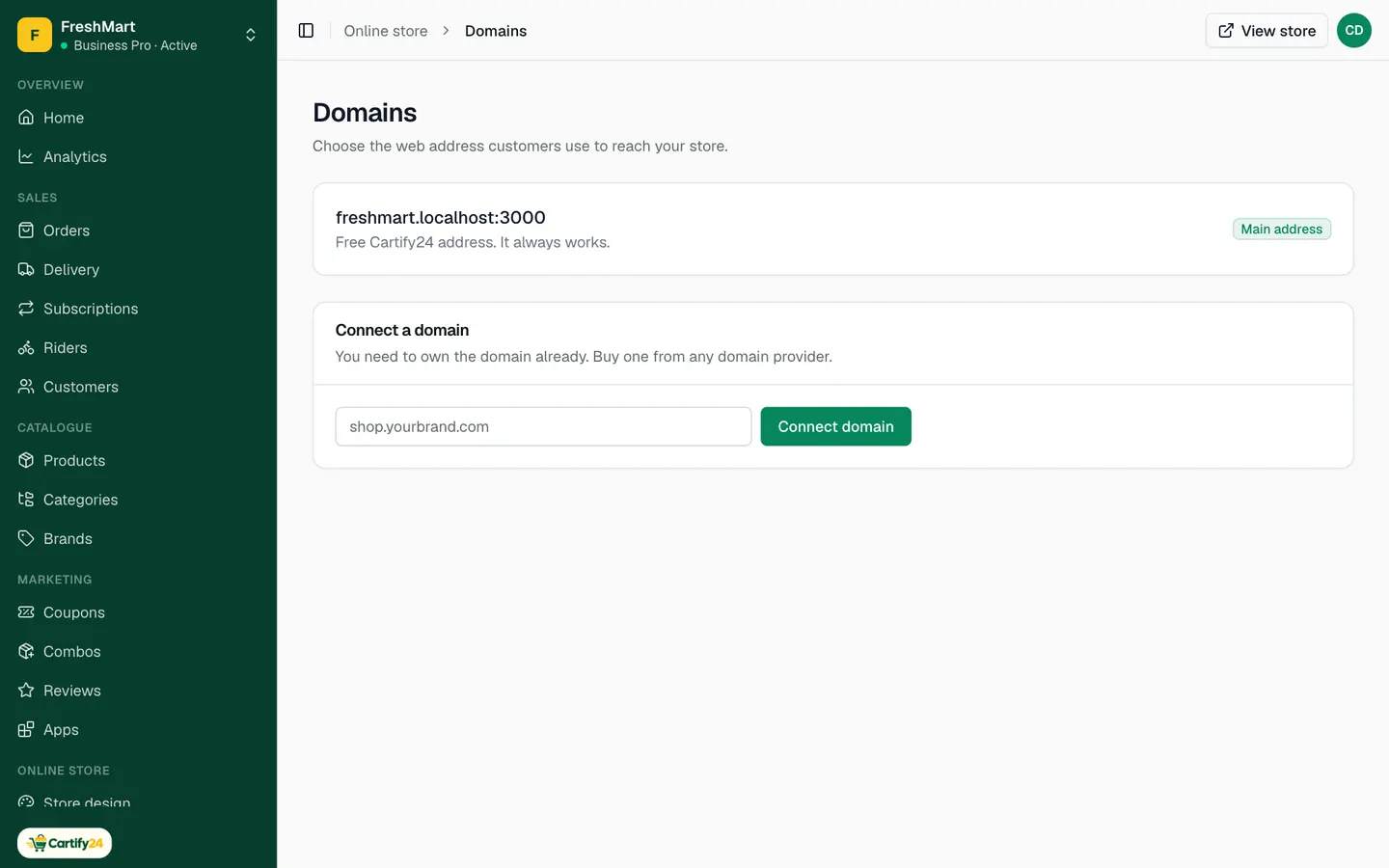
- 2Open Domains, enter your domain and click Connect domain.
- 3Add the DNS records shown at your domain provider, then click Check. SSL (https) is set up automatically, and your old address forwards to the new one.
Questions
- Which plans include a custom domain?
- See Pricing for the plans with a custom domain.
Learn more
Ready to try it on your own store?
Start free trial